When this helps
Use a TCP to COM bridge when a PLC, meter, DTU, gateway, or serial device server is reachable over Ethernet, but the Windows software still expects COM10, COM11, or another local serial port.
 ComLinkerTCP Serial Bridge
TCP to COM port bridge
ComLinker creates a local virtual COM port and binds it to a remote TCP endpoint. Your existing Windows application opens the COM port as usual while ComLinker handles the TCP connection.
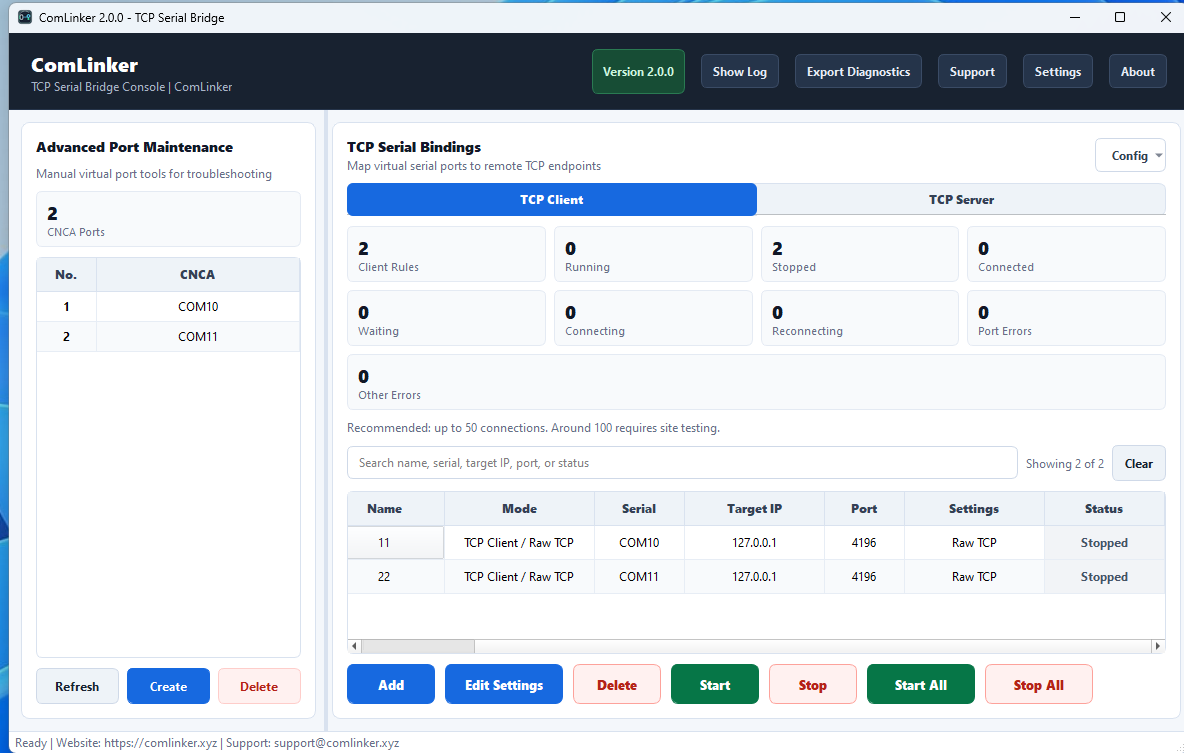
Use a TCP to COM bridge when a PLC, meter, DTU, gateway, or serial device server is reachable over Ethernet, but the Windows software still expects COM10, COM11, or another local serial port.
ComLinker is built for practical Windows field deployments, including Windows Server environments, auto reconnect, connection monitoring, and diagnostics export for support.
The 14-day trial lets you verify your TCP endpoint, virtual COM port, and target Windows software before buying a one-time workstation license.